For local service businesses
Ask every customer how it went — and let them choose where to say it
After a job, appointment or visit, pick the customer and send a short feedback request by WhatsApp, email or link. They rate the visit, then choose: a private note to you, or a public review on Google.
5 free uses. Then $19/month for the basic plan. Cancel anytime.
How it works
- 1
Pick the customer
Right after the visit, choose who to ask — from your contacts or by typing a name and number.
- 2
Send the request
WhatsApp opens with the message ready for you to send, or we email it, or you copy a link.
- 3
The customer chooses
They rate the visit. Every customer, whatever the rating, can send private feedback or continue to Google.
What your customer sees
This is the real flow, running in your browser. Tap the stars and try it.
Bright Smile Dental
How was your experience?
What you see
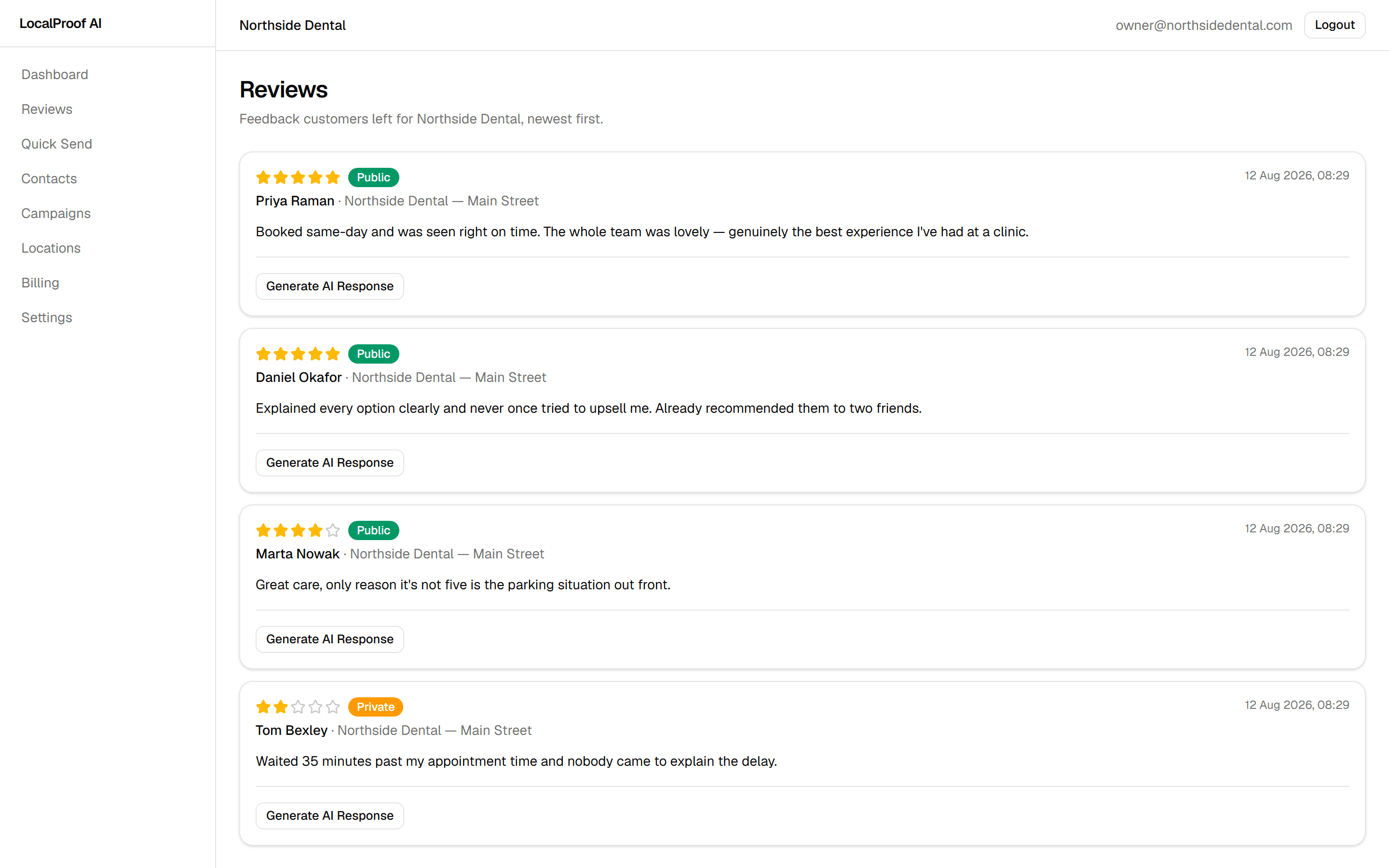
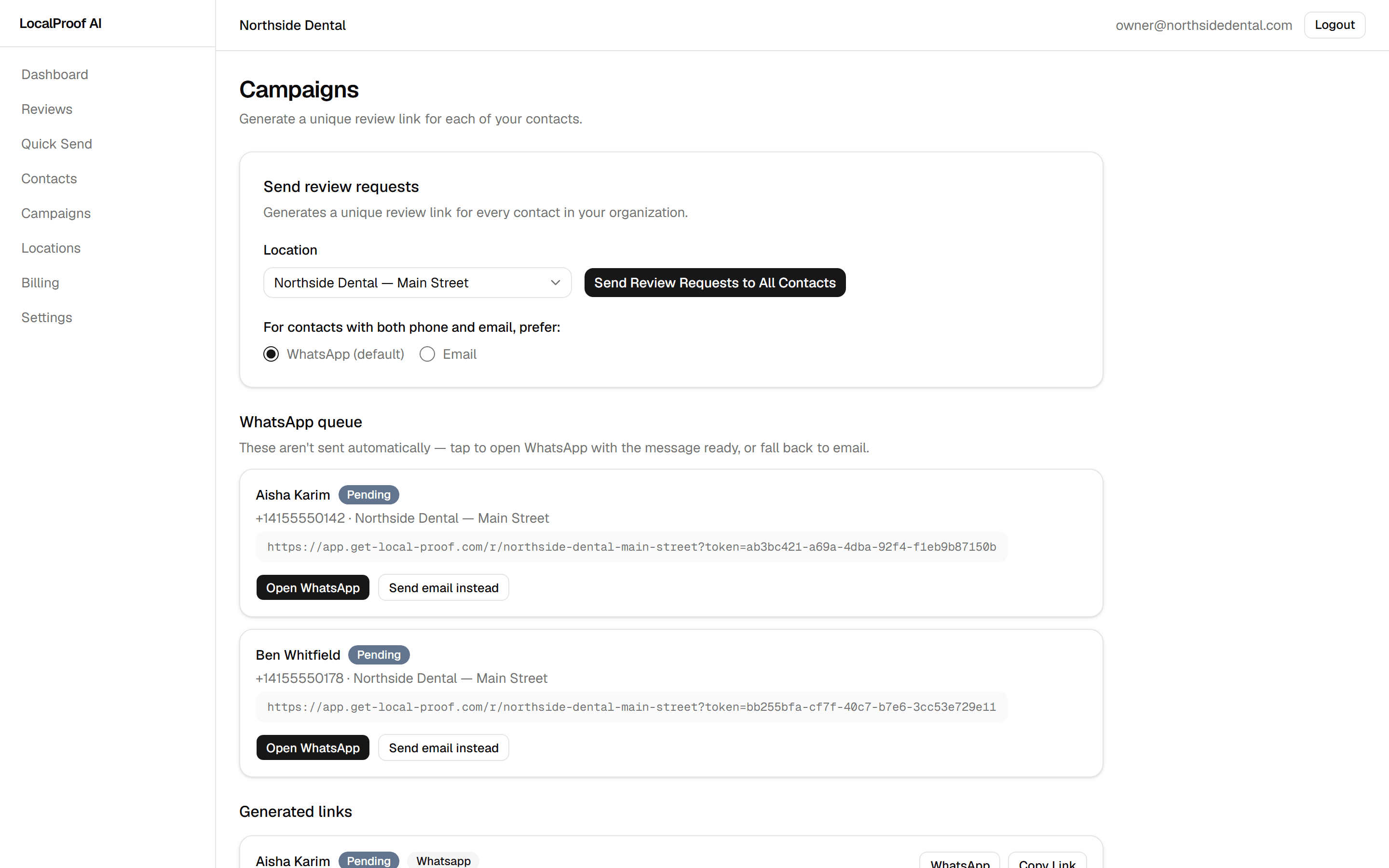
Real screens from the product.
Made for businesses that serve people in person
- Clinics
- Salons
- Trades & repairs
- Landscapers
- Cafés
- Workshops
What's included
Quick Send
One customer, one tap, straight after the visit.
Contacts with opt-out
Unsubscribes are honoured automatically, whatever way a number is typed.
Campaigns
Ask your whole list at once; anyone asked in the last 30 days is skipped.
Private feedback inbox
Hear about problems directly, before they become a public review.
Several locations
Each branch has its own link, Google review link and customer language.
Four languages
English, Hebrew, Spanish and French — for your customers and your dashboard.
Simple monthly plans
Start free. Upgrade when you need more requests or locations.
Free
$0/mo
Try it on a handful of customers.
Starter
$19/mo
For a single location finding its feet.
Growth
$49/mo
For businesses running a handful of branches.
Agency
$99/mo
For agencies managing reviews for clients.
Straight answers
Does it send WhatsApp messages automatically?
No. WhatsApp opens with the message written for you; you review it and press send yourself. Emails are sent for you.
Do you post reviews to Google for my customers?
No. Customers who choose Google are taken to your Google review page and write the review themselves.
Do unhappy customers get hidden from Google?
No. Every customer sees the same choice. That is fairer to them and in line with Google's rules.
What do I need to start?
Your business name and, ideally, the review link from your Google Business Profile. Setup takes a few minutes.
Can I cancel?
Yes, any time from the billing page. Your plan stays active until the end of the period you paid for.